
Forecast: Account shows starting balance before transaction history begins
If you've deleted a portion of your transaction history from PocketSmith so that your transaction data begins from a specific date, you may find that the affected accounts' blue 'starting balance' flags persist on the Calendar. This will cause your forecast to show the original starting balance from when the account was first added to PocketSmith.
Why this occurs:
PocketSmith automatically creates Blue Flags for each account's starting balance on the date that the account is added to PocketSmith. If you later delete transactions before a specific date, it won't impact the starting balance flags on the calendar. This means that the original starting balance for each account will still show within your forecast on the Calendar and on the Balance graph widget on the Dashboard, despite not having transaction data going back as far within PocketSmith.
Removing the Blue forecast flags:
If this happens, and you'd like the starting balances for these accounts to only begin on the date of the first transaction present within the account, you can remove the starting balance forecast flag using the following steps:
- Head to the Account Summary (Manage > Account Summary) page
- Click MANAGE ACCOUNT and then Balances
- Note the balance setting you are currently using under 'Use Data Feed Balance' 📝
-
Temporarily adjust the Balance Setting to the Last transaction balance option under the Use Calculated Closing Balance setting, and set this to the closing balance of the relevant account on the day prior to the first transactions that appear within the account in PocketSmith.
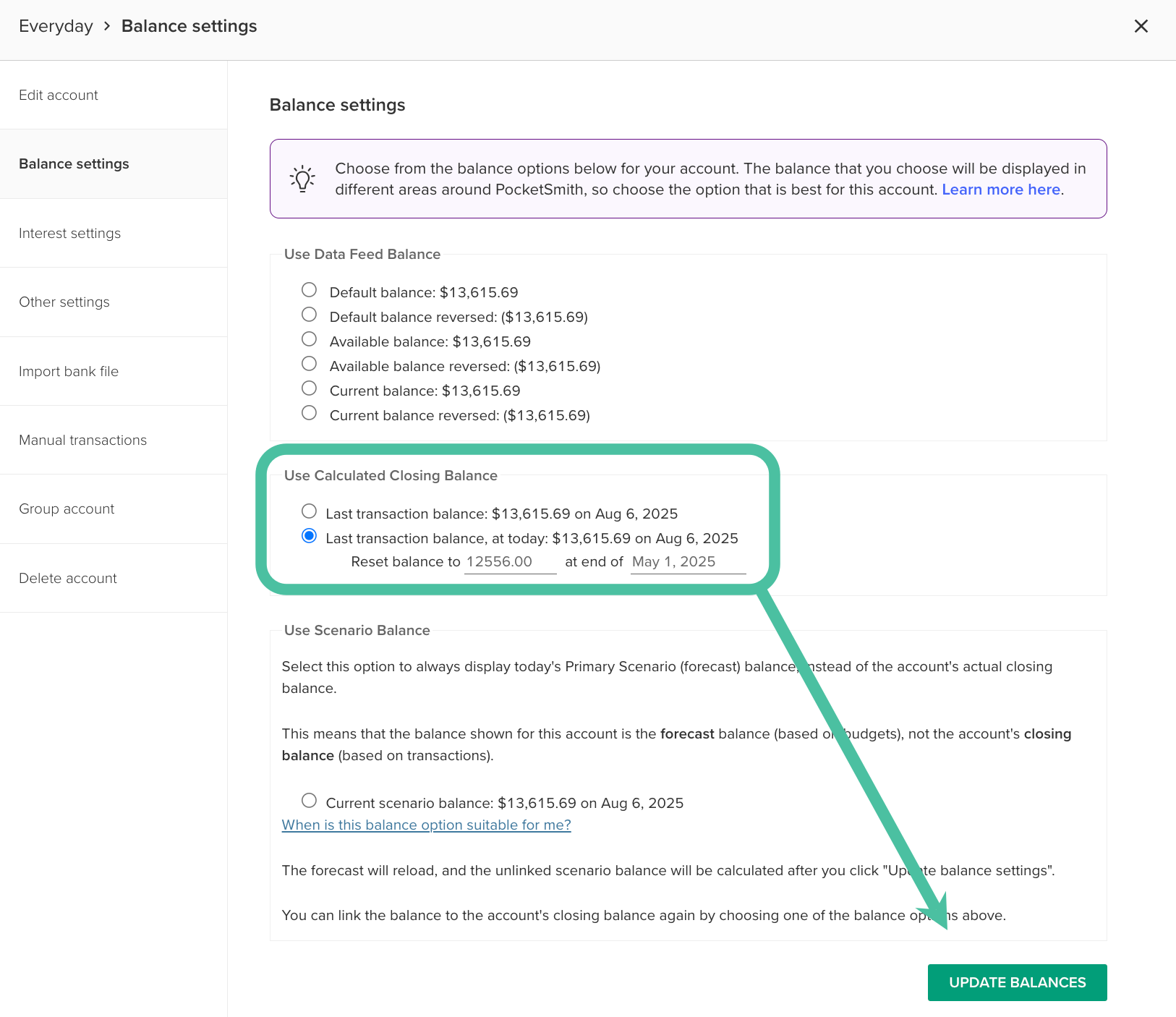
- Click Update balances.
-
Next, re-select the balance option you had previously selected under 'Use Data Feed Balance' option and click Update balances again.
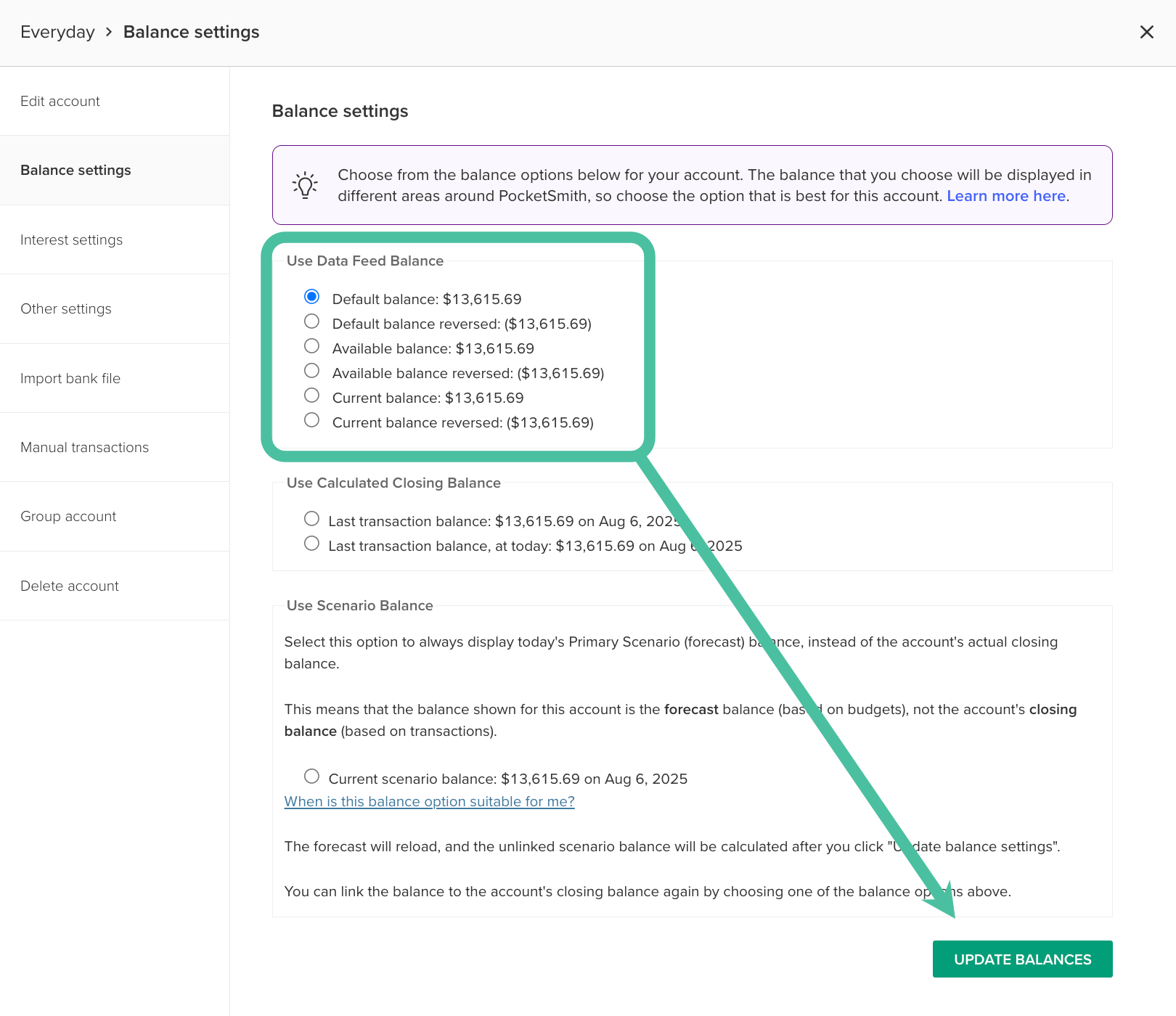
- Repeat these steps for each affected account.
