
The country associated with your PocketSmith account
When you create your PocketSmith account, a country will be associated with your PocketSmith account based on your IP address at the time. This sets your billing currency and some default settings within PocketSmith 🌏
In this article
PocketSmith billing currency
PocketSmith bills subscriptions in four currencies:
- New Zealand dollar ($NZD)
- Australian dollar ($AUD)
- United States dollar ($USD)
- British pound (£GBP)
If the country associated with your PocketSmith account is New Zealand, Australia, the United States of America or the United Kingdom, you will be billed in your country's currency.
For the rest of the world, the billing currency will be $USD
Default feeds shown
The default feeds shown when adding a feed will be tailored to the country associated with your PocketSmith account. However, this doesn't limit the feeds that can be searched for and added to your PocketSmith account, as this will still be global.
The only limit on feeds from different countries is your subscription plan. If you are on a Foundation plan, you will only be able to add feeds for one country.
Default base currency
All PocketSmith accounts have a base currency, and by default, this will be set to the currency of the country associated with your PocketSmith account.
You can learn more about currencies within PocketSmith and how you can change your base currency in this guide: Currency settings in PocketSmith.
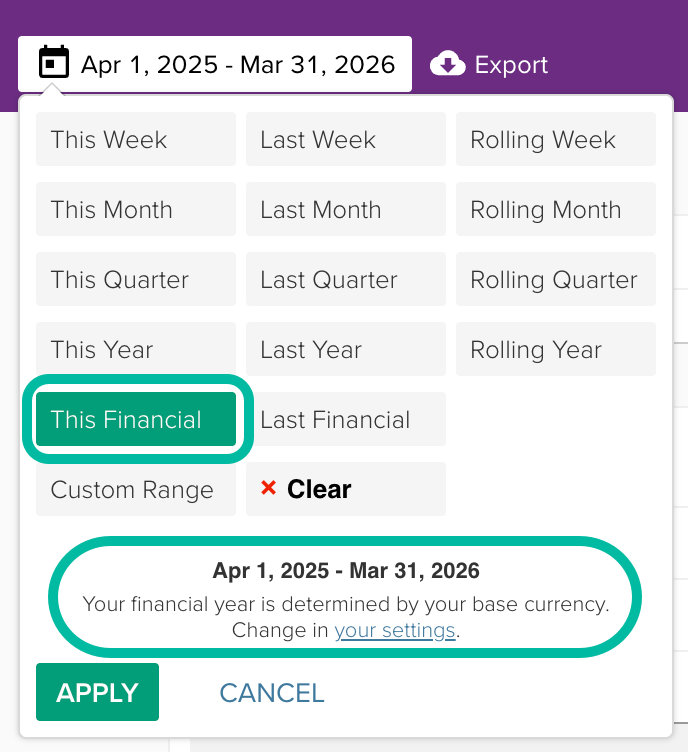
Dates used for the financial year
The financial year date range within PocketSmith is based on your default base currency, which defaults to the currency of the country associated with your PocketSmith account.
If you want to change your financial year to match a different country's financial year, you will need to change the base currency of your PocketSmith account to that country's currency, as shown in this guide: Base currency.
Changing the country associated with your PocketSmith account
If you want to change the country associated with your PocketSmith account, please send us a message with the country you wish to change to and why you want to change the country.
Changing the country from within the PocketSmith settings is not possible.